
Audience manager
An audience is a saved definition of who to count. Define it once here and it becomes available wherever audiences are used — Research, Ranker and Exporter.
Find it under Audience → Audience manager.
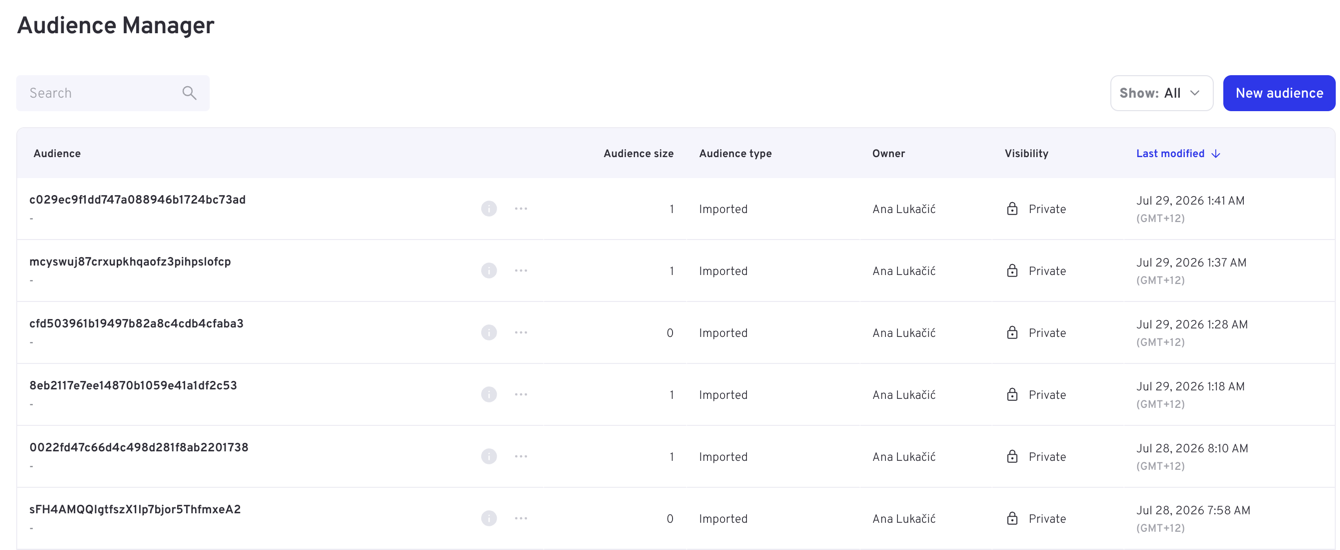
The audience list
Each audience shows its size, its type, its owner, its visibility and when it was last modified — sortable, so the most recently touched can be brought to the top. Use the search box by name, and Show to narrow the list.
Two types appear:
- Custom — built from conditions in the dashboard
- Imported — supplied as a list of identifiers
TIP
Audience size is measured when the audience is calculated, so treat it as an indication of scale rather than a live count.
Building an audience
New audience opens the builder. It has a Build tab for defining an audience from your data, and an Import tab for bringing one in.
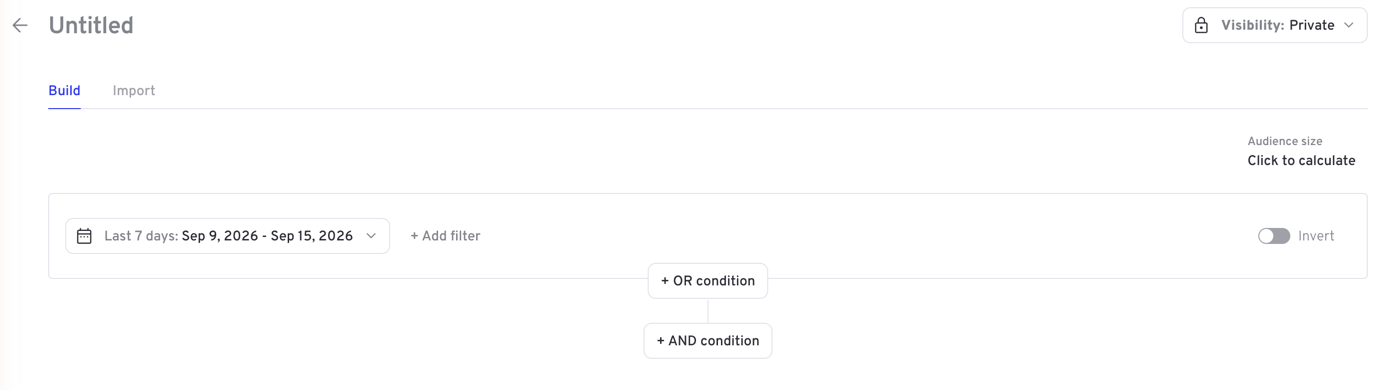
An audience is one or more condition blocks. Each block has:
- its own date range — the window the behaviour has to happen in
- one or more filters — the behaviour itself
- an Invert toggle — everyone except those who match
Blocks combine with AND and OR:
| Combine with | Meaning |
|---|---|
| AND | Must match both blocks |
| OR | Matches either block |
That's what makes an audience more than a filter: a filter narrows one query, while an audience can express behaviour over a period — and, with Invert, exclusion.
Audience size is not calculated as you type. Use Click to calculate when you want to check the definition catches a sensible number of people.
Try it: build your first audience
- Choose New audience and stay on the Build tab.
- Set the block's date range to the last 30 days and add one filter — a channel or a genre, say.
- Choose Click to calculate and check the size looks sensible.
- Name it after what it is, share it with your group, and Save.
It now appears under Predefined audiences in Research, Ranker and Exporter.
Naming and visibility
Give the audience a name in place of Untitled — it's how everyone else will find it, so describe the definition rather than the campaign that prompted it.
Visibility controls who else sees it. Private keeps it to you; sharing makes it available to your group. Anything a colleague may need to reuse or check is worth sharing.
Choose Save to store it, or Cancel to discard. Export Audience IDs takes the resulting identifiers away as a file.