
Campaigns
The Campaigns module tracks delivery: what's booked, what's running, and whether it will finish on target.
Where booking is enabled for your account, campaigns are also created here — see Booking a campaign. Otherwise they arrive from your booking systems and this module is where you watch them deliver.
Booked, Active and Completed
Campaigns are grouped by state, with a view for each across the top:
| View | Shows |
|---|---|
| Booked | Campaigns scheduled to run |
| Active | Campaigns currently delivering |
| Completed | Campaigns that have finished |
Accounts with booking enabled usually show two more — Planned, for bookings that aren't yet confirmed, and Cancelled.
Narrowing the list
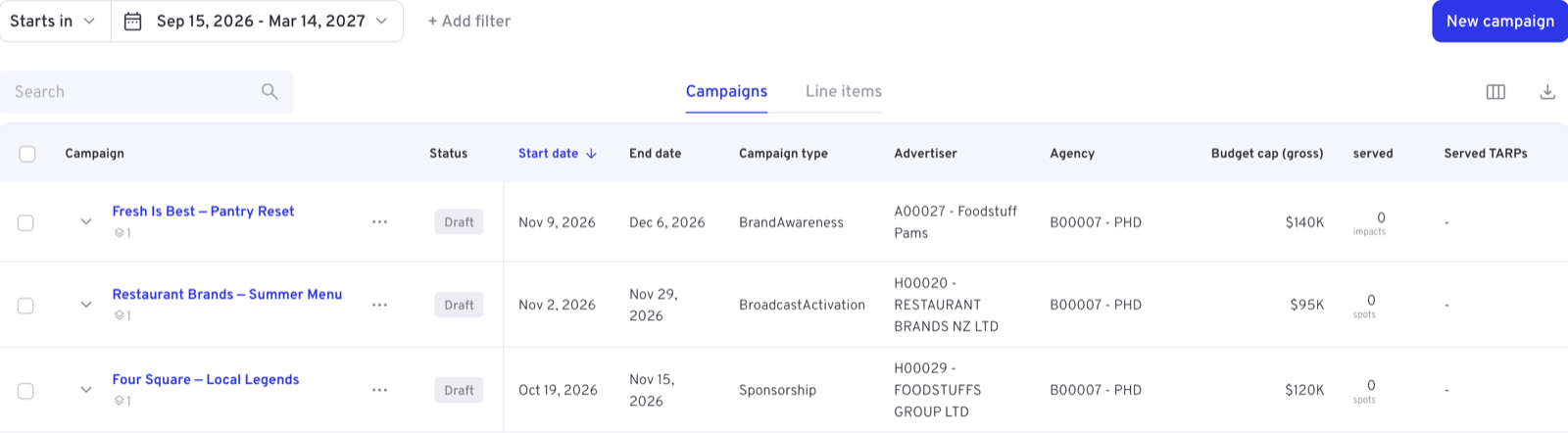
Above the table:
- Date field — which date the range applies to, such as when a campaign starts
- Date range — the window itself
- Filters — added as chips, the same picker used elsewhere in the dashboard
- Submit — applies your changes and reloads the list
- Search — matches within the results already loaded
Campaigns and line items
Two tabs switch the level of detail:
- Campaigns — one row per campaign
- Line items — the parts within each campaign, for when a campaign is delivering unevenly across them. The tab carries whatever your account calls them
Reading the table
Each row carries the campaign's name and ID, its advertiser, a status badge, and its delivery figures — budget, CPM, impressions so far, target impressions, and the flight dates.
Two columns are about pacing rather than volume:
| Column | Meaning |
|---|---|
| OSI | Whether delivery is keeping up with the flight's elapsed time |
| FFDR | Forecast final delivery rate — the share of the goal expected by the end date |
FFDR at 100% means the campaign is on course to deliver in full. Consistently under 100% is the signal to intervene while there's still flight left.
WARNING
Exactly how OSI and FFDR are calculated is dataset-specific and can be revised. Check your client documentation for the formulas that apply to your data.
Try it: find the campaigns that need attention
- Open the Active view.
- Sort by FFDR, lowest first.
- Anything well under 100% with flight still to run is where to look first — open the row's … menu for its details.
Column choice, bookmarking and download sit at the table's top right. Each row's … menu holds the campaign's actions — viewing its details or summary, editing it, and, where booking is enabled, cancelling it.