
Broadcast Activation
Amplify your reach on traditional broadcast TV through impactful ad line items within premium programming. Broadcast Activation is the TVNZ 1, TVNZ 2 and TVNZ Duke buy, and the only campaign type that asks how you want to buy it.
Use it for straight broadcast television — either traded against an audience goal, or placed spot by spot when the schedule position is the point.
| At a glance | |
|---|---|
| Trades against | A demographic (Audience Trading) or chosen spots (Spot) |
| Delivers on | TVNZ 1, TVNZ 2 and TVNZ Duke |
| Buying method | Audience Trading or Spot |
| Goal | Target TARPs at a CPT on Audience Trading; budget only on Spot |
| Flight start | 5 to 90 days ahead once past Draft |
| Line item flight | One broadcast month each |
Choosing a buying method
Buying method appears under Campaign type as a pair of cards, defaulting to Audience Trading. On Audience Trading the form carries on into Campaign budget directly beneath, where a Deal is attached and the rate follows from it; a Spot buy has no deal, only the Budget cap.

| Method | What it is | What the line item form becomes |
|---|---|---|
| Audience Trading | Audience guaranteed — you set the goal and spots are optimised to deliver it | The full linear buy: demographic, channel shares, pacing, schedule, creatives |
| Spot | You select where your spots are placed | A shell campaign: money and a few constraints here, spots set later in TVMap |
The choice is not a detail you can revisit freely — the platform refuses a change of buying method (or campaign type) while any line item holds a price override, because the override is a rate in the trading currency you would be leaving.
Booking on Audience Trading
1. Campaign level
General info — including Notes — then Campaign type = Broadcast Activation with Buying method = Audience Trading, then Objective, then Campaign budget — Deal, Budget cap (gross) and Discount %.
2. Line item info and targeting
| Section | Fields |
|---|---|
| Line item info | Line item name, Flight date, Blackout periods |
| Targeting → Demographics | Demographics (defaults to 18+) |
| Targeting → Channels | TVNZ 1, TVNZ 2, TVNZ Duke — each Optimized or 0–100% in steps of 5 |
| Targeting → Programme | Programme linear exclusion |
| Targeting → Programme Rating | Programme rating |
| Targeting | Peak %, Break position, FIB / LIB %, Ad Mirroring |
Open Channels and there is one field per channel, each holding a percentage or Optimized.
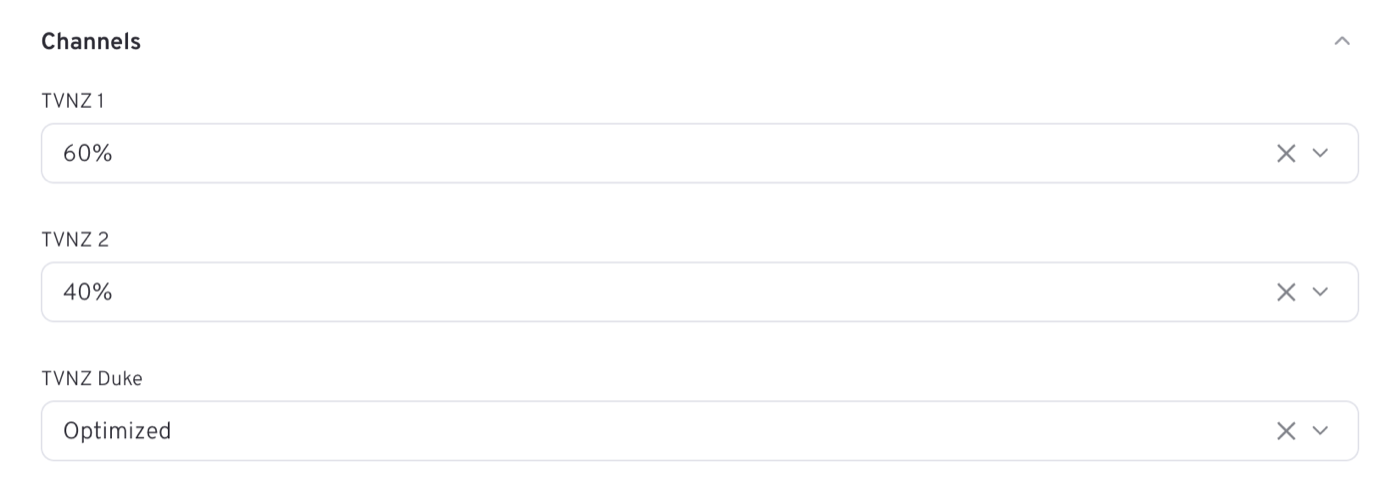
Set Demographics first: the channel shares and the peak levels you are offered both come from the station grid and pricing sheet for that demo. Genre is not offered here — content targeting at that level is a Brand Awareness idea.
The channel shares are the distinctive part. All three default to Optimized, which carries no station-grid loading. Pinning a percentage commits delivery to that channel — and pinning 0% instructs the platform to deliver nothing there, at the grid's discount, which is not the same as leaving the field alone.
Ad Mirroring is offered only here: your spot airs everywhere the channel does, with the mirrored break counting toward delivery.
3. Budget, pacing and schedule
| Section | Fields |
|---|---|
| Budget | Budget (gross), Target TARPs (Calculated) with its TARPs · CPT / Impacts · CPM switch, CPT (gross) with Rate card / Custom |
| Budget → Flight pacing | Evenly, plus Weekly and Monthly as the flight length allows, and the split table when it is not Evenly |
| Schedule | Week start (opens on Sun), Start time, End time |
This is the type that trades in rating points. The goal is Target TARPs and the rate is a CPT (gross) — Based on rate card from targeting — or switch to custom — with a switch beside the goal if you would rather work in Impacts · CPM. The rail reports both currencies, as here: TARPs and CPT above the line, the impacts and CPM they come to below it.
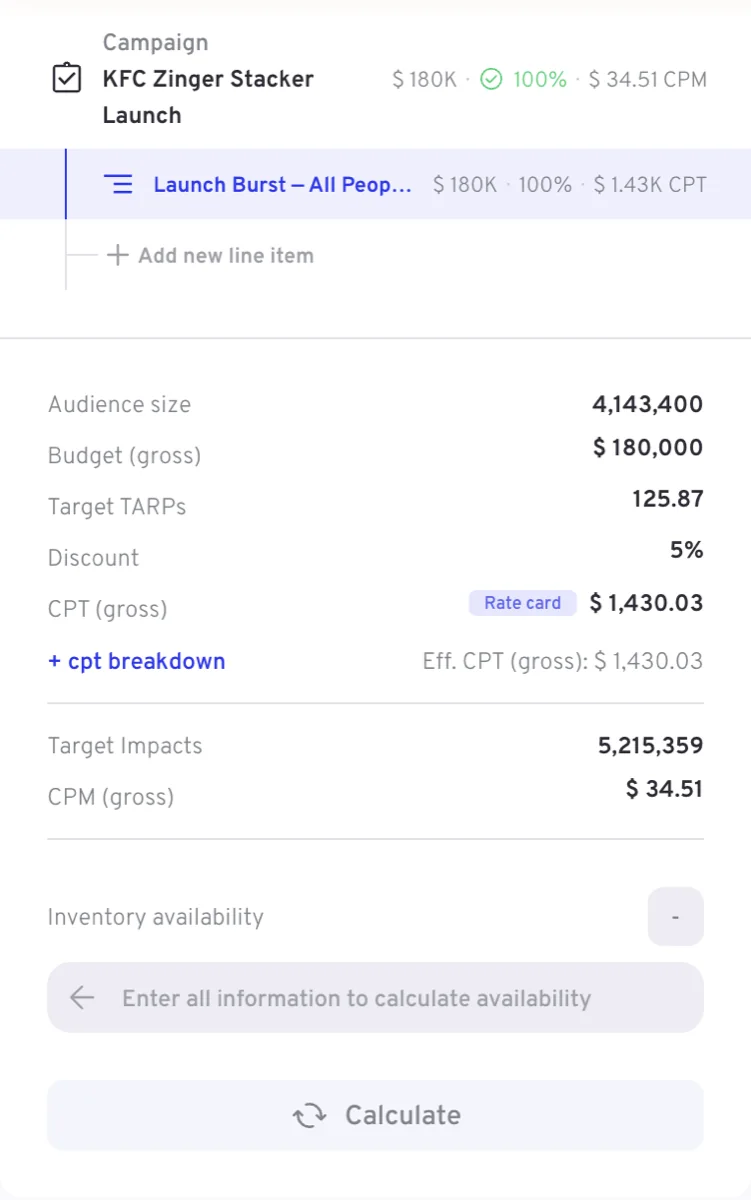
Pace the line item Weekly or Monthly — the options offered follow the flight length — and a split table opens under the buttons, one row per period with its dates, and a Total row that has to reach 100%.
4. Creatives
Ad duration and Sensitive content open the section, then Add creatives, where a Creative code — the Landmark House ID — and the Add button build the list. Set the campaign flight dates first.
Booking on Spot
A Spot buy is deliberately short. The Budget section carries a banner saying so:
INFO
Create a shell campaign and set spots later via TVMap
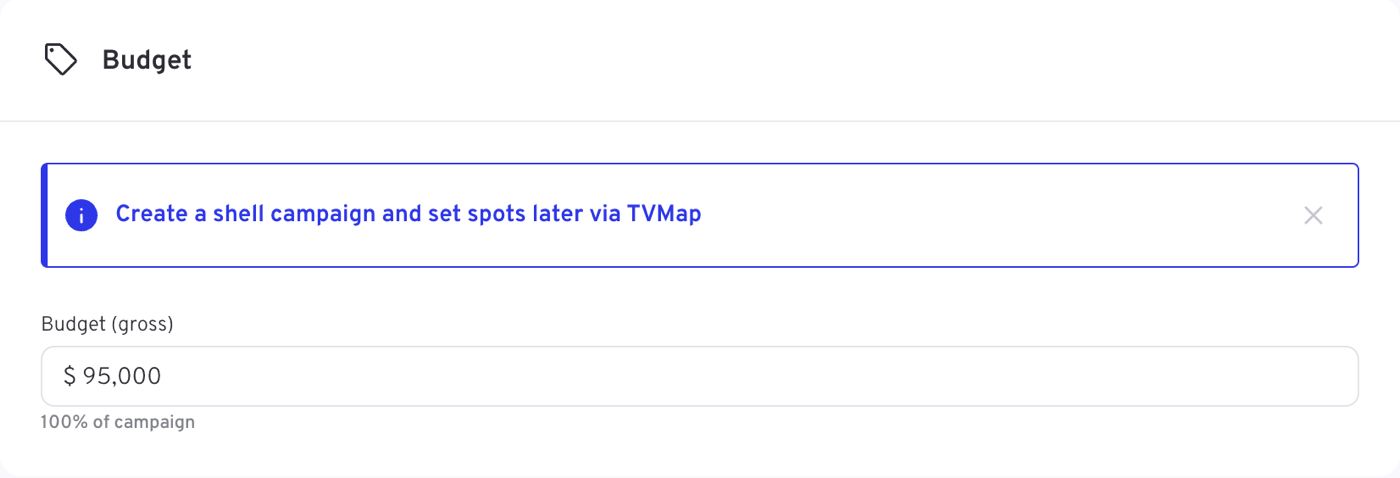
As the picture shows, the banner sits above a single Budget (gross) field with its share of the campaign underneath.
| Section | Fields |
|---|---|
| Line item info | Line item name, Flight date, Blackout periods |
| Budget | Budget (gross) |
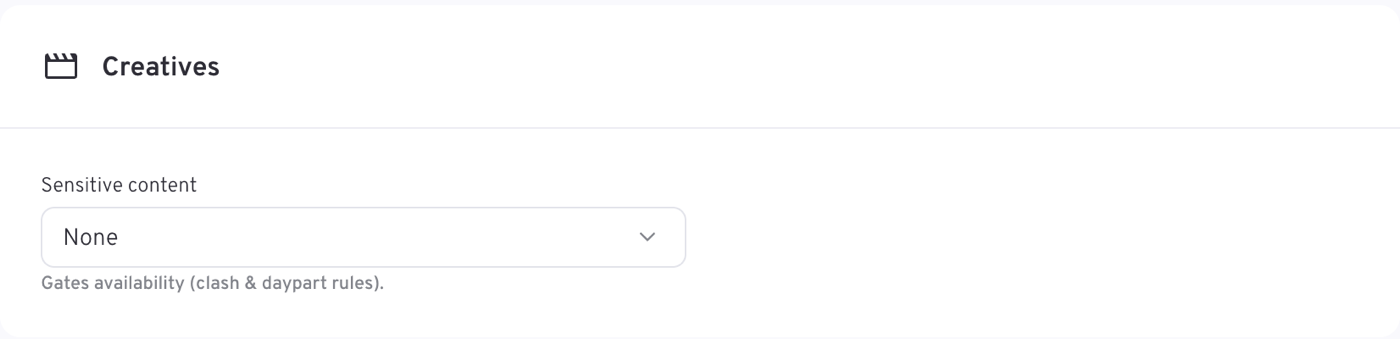
| Creatives | Sensitive content |
That is the whole line item. There is no delivery goal — no Target Impacts and no Target TARPs — so the campaign's goal total has nothing to sum. There is no targeting at all — no demographics, no channel shares, no Peak %, no break position — no pacing split and no schedule: those decisions are made when the spots are placed in TVMap. Creatives shrinks to Sensitive content alone, with no Ad duration and no creative codes, for the same reason.
Objectives
Objective applies to Audience Trading only, and defaults to Standard.
| Objective | What it does |
|---|---|
| Standard | Even delivery across the flight at the standard rate |
| Reach Velocity | Front-loads delivery to build unique reach fast |
| Weekend Store Visit | Weights delivery to Wednesday–Saturday, for household shoppers planning the weekend shop |
| Hunger Zone | Concentrates spots in the 4–8pm dinner window |
| New to Market | Built for launches; optimises for maximum unique reach |
On a Spot buy the section does not appear — the schedule you build in TVMap is the delivery plan.
Peak and break position
Peak % is the minimum share of delivery required in peak time, drawn from the pricing sheet for your demographic — Minimum share delivered in peak time. One of the levels is that demographic's own natural share, labelled in the field as 64% (natural delivery) or similar: it is what peak would take with nothing guaranteed. Choosing above it is a commitment you pay for; choosing below it buys less peak than the demo delivers on its own, at a discount. Either way it is a commercial decision, not a formality. Peak % is offered on Audience Trading only. The size of the loading each level carries is covered on Deals, rates and loadings.
Break position is likewise Audience Trading only: No preference, First in break or Last in break, with FIB / LIB % setting the minimum share in that position once you choose one.
For the full picture of what each buying method offers, see which fields each campaign type shows.
Rules specific to Broadcast Activation
- The campaign flight must start between 5 and 90 days from today once the campaign is past Draft.
- Each line item flight must fall within a single broadcast month — weeks starting Sunday, the month ending on the Saturday nearest its end. Like Brand Awareness it uses broadcast months rather than calendar months, so a line item can legitimately run past the end of the calendar month.
- Line item budgets must sum exactly to the campaign Budget cap; a weekly or monthly split must total 100%.
- On Audience Trading, Budget (gross), Target TARPs and the CPT must agree, give or take rounding — the goal is Calculated, so it moves with them.
Tips
- Decide the buying method before you build line items. It changes most of the line item form, and a price override will block the change later.
- Leave the channel shares on Optimized unless you have a reason to commit delivery — an unset share prices the same way, and a pinned 0% does not.
- Watch the broadcast-month boundary; it rarely lines up with the calendar month you had in mind.
- On a Spot buy, treat the booking as the commercial envelope only — nothing here decides where the spots land.
- Run the availability check before booking, and adjust if it comes back tight.