
Digital Activation
Deliver your message across on-demand and streaming on TVNZ to connect with viewers wherever they watch. Digital Activation is the TVNZ+ buy. It swaps the linear apparatus — trading demo, channel shares, broadcast weeks — for digital targeting: audience segments, geography, devices, frequency caps and dayparts.
Use it when the campaign runs on TVNZ+, whether that is video on demand, live simulcast, or the network as a whole.
| At a glance | |
|---|---|
| Trades against | Audience segments, geography, devices, frequency and dayparts |
| Delivers on | TVNZ+ — the network, VOD or live |
| Buying method | None |
| Goal | Target Impacts at a CPM |
| Flight start | 5 to 365 days ahead once past Draft |
| Line item flight | May span months |
Booking a Digital Activation campaign
1. Campaign level
| Section | Fields |
|---|---|
| General info | Campaign name, Insertion order ID, PO number, Flight date, Agency, Advertiser, Product, Product category, Notes |
| Campaign type | Campaign type = Digital Activation |
| Campaign budget | Deal, Budget cap (gross), and Discount % depending on your setup |
There is no Buying method, and no campaign-level Objective — the objective on a digital buy is set per line item, at the top of Targeting. The Deal is what the digital rate card prices against, so it is worth settling before you read a CPM.
2. Line item info and product
Line item name, Flight date and Blackout periods first. Then the Product section, which only Digital Activation shows: a card per product, each carrying how it is priced.
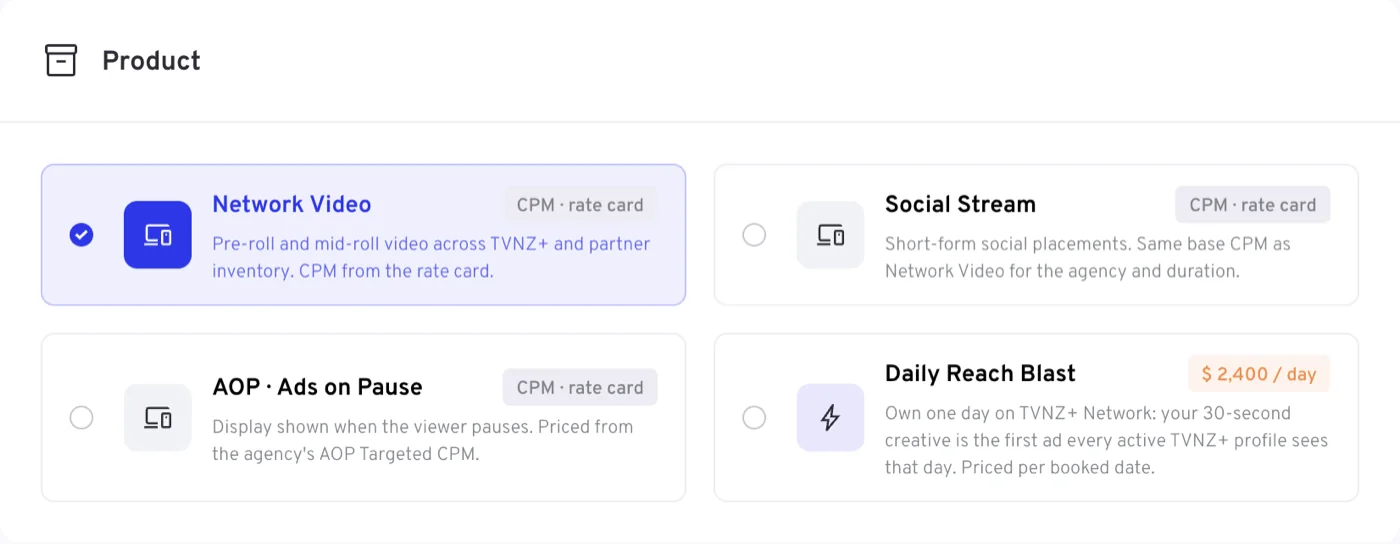
| Card | What it is |
|---|---|
| Network Video | Pre-roll and mid-roll video across TVNZ+ and partner inventory. CPM from the rate card. Selected to begin with |
| Social Stream | Short-form video in the social-style feed on TVNZ+. Same base CPM as Network Video for the agency and duration |
| AOP · Ads on Pause | Display shown when the viewer pauses. Priced from the agency's AOP Targeted CPM |
| Daily Reach Blast | Own one day on TVNZ+ Network: your 15- or 30-second creative is the first ad every active TVNZ+ profile sees that day. One booked date per line item, at the daily price shown on the card |
3. Targeting
Stream Type and Digital objective open the targeting section, with the Age group and Gender chips under them and the collapsible panels below that.
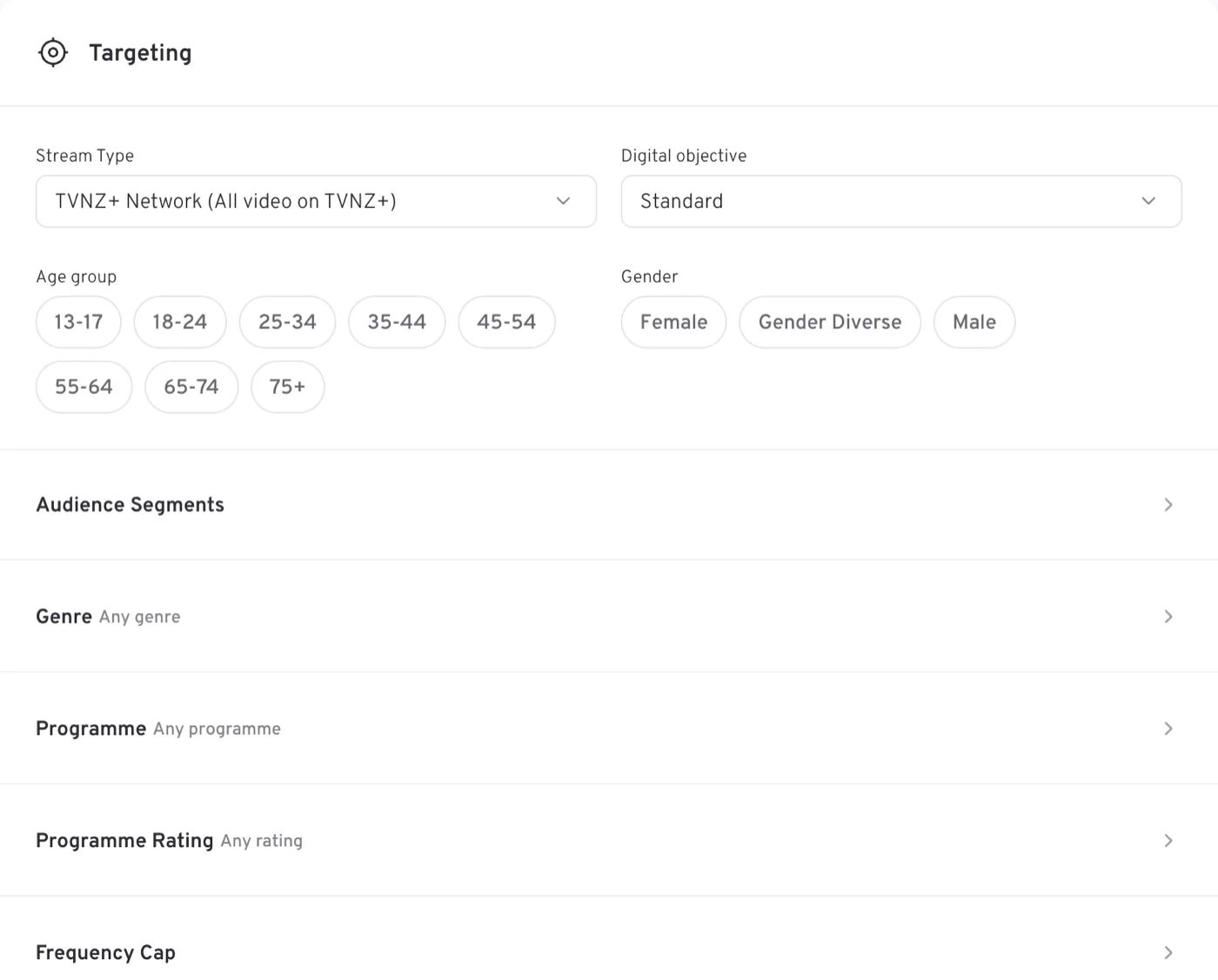
| Section | Fields |
|---|---|
| Targeting | Stream Type, Digital objective, Age group, Gender |
| Audience Segments | Digital audience type, then Segment, Custom or DataIQ |
| Genre | Genre, included or excluded |
| Programme | The digital programme exclusion list |
| Programme Rating | Programme rating |
| Frequency Cap | One or more caps: a number of ads per min, hour or day |
| Geography | Regions and Cities — Nationwide until you narrow it |
| Device category | Device Category — All devices until you narrow it |
| Targeting | The three optimisation packages |
Stream Type is where the video runs: TVNZ+ Network (All video on TVNZ+), which is the default, VOD (Video on Demand) or Live (Simulcast + FAST+ Live Events). VOD and Live appear once a digital product is chosen, and are not offered on Daily Reach Blast — that product runs across the network.
Digital objective is a delivery preset: Standard is front-weighted delivery, Maintain Brand Presence spreads delivery evenly across the flight, and Reach Velocity is fast awareness, front weighted.
Digital audience type decides which audience field applies. Audience segment (the default) offers the processed audiences on your account; Custom audience offers an audience built bespoke for the advertiser or product; DataIQ takes one or more third-party targeting products. Whichever of Custom audience or DataIQ you pick, that field must be filled in before the campaign can be booked.
The three packages close the targeting section — switches that bundle targeting and delivery behaviour, all off to begin with:
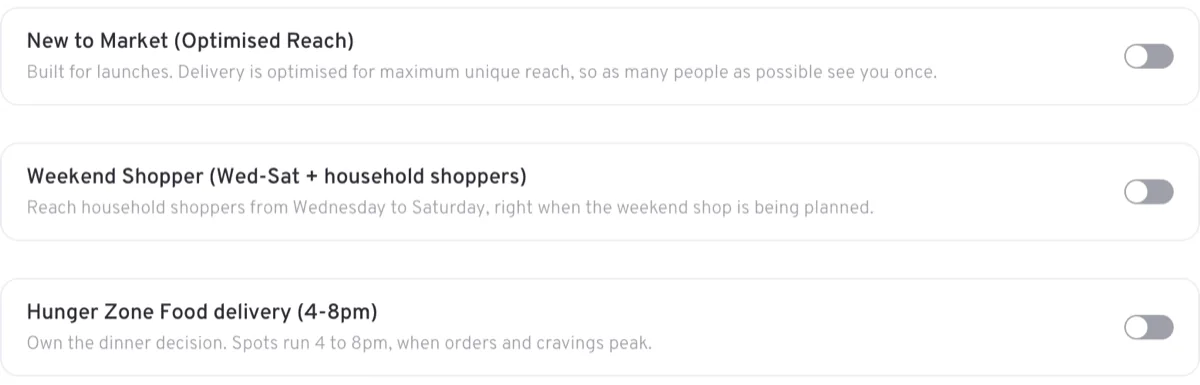
| Package | What it does |
|---|---|
| New to Market (Optimised Reach) | Built for launches. Delivery is optimised for maximum unique reach, so as many people as possible see you once |
| Weekend Shopper (Wed-Sat + household shoppers) | Reaches household shoppers from Wednesday to Saturday, as the weekend shop is being planned |
| Hunger Zone Food delivery (4-8pm) | Spots run 4 to 8pm, when food orders and cravings peak |
New to Market has to be set one way or the other before booking; the other two are optional.
On Daily Reach Blast the targeting section empties — no age and gender, no audience segments, genre, programme exclusions, geography, devices or dayparts, and no digital objective, frequency cap or blackout periods — because the product is the whole network for the booked date. See Booking a Daily Reach Blast for how the rest of the line item changes.
4. Budget and schedule
Budget (gross), Target Impacts — marked Calculated — and CPM (gross) with its Rate card / Custom switch, as on the other goal-based types. There is no split here: flight pacing is a linear control. A Daily Reach Blast line item is different: its flight is a single Booked date, its budget is the agency's Daily price for that day, and there is no target, no CPM and no discount on it.
Schedule holds one row, Dayparts, and nothing else.

Each daypart runs from a day and time to a day and time, so a window may cross midnight or span several days. Left empty, the section reads All day. Week start, Start time and End time belong to the linear products and do not appear.
5. Measurement
Four add-ons, each a switch and each available on request:
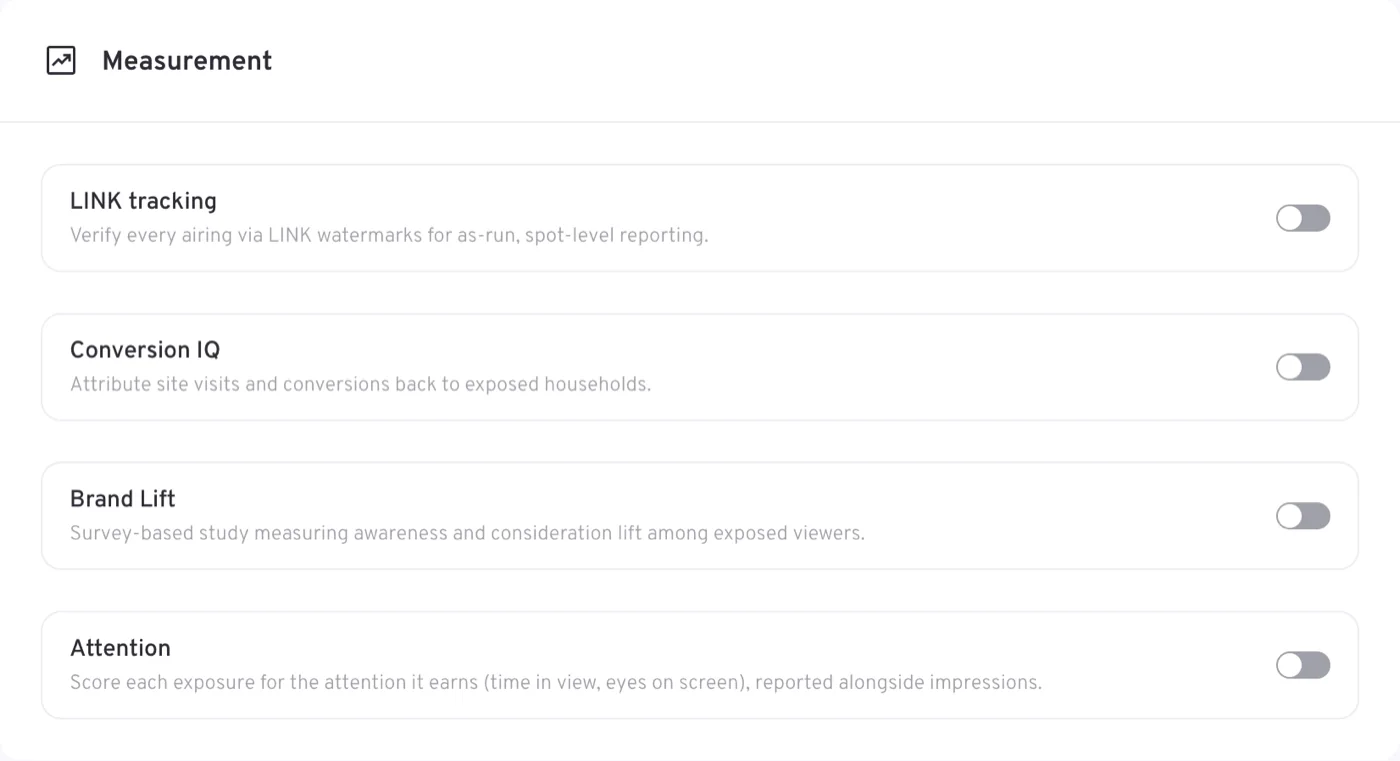
| Add-on | What it does |
|---|---|
| LINK tracking | Verifies every airing via LINK watermarks, for as-run, spot-level reporting |
| Conversion IQ | Attributes site visits and conversions back to exposed households |
| Brand Lift | A survey-based study measuring awareness and consideration lift among exposed viewers |
| Attention | Scores each exposure for the attention it earns — time in view, eyes on screen — reported alongside impressions |
Brand Lift adds +$3 CPM to the line item that carries it, inside the campaign budget, and shows as its own row in the price breakdown. It is offered on Network Video and Social Stream, not on Daily Reach Blast or Ads on Pause, and only once the campaign books 2.1M or more impressions delivering within 6 months — below that the option is off with the shortfall stated. The full rules are under Measurement on the Line items page.
6. Creatives
Ad duration and Sensitive content head the section, then Add creatives, where the VAST tag for the advertisement goes. Set the campaign flight dates first.
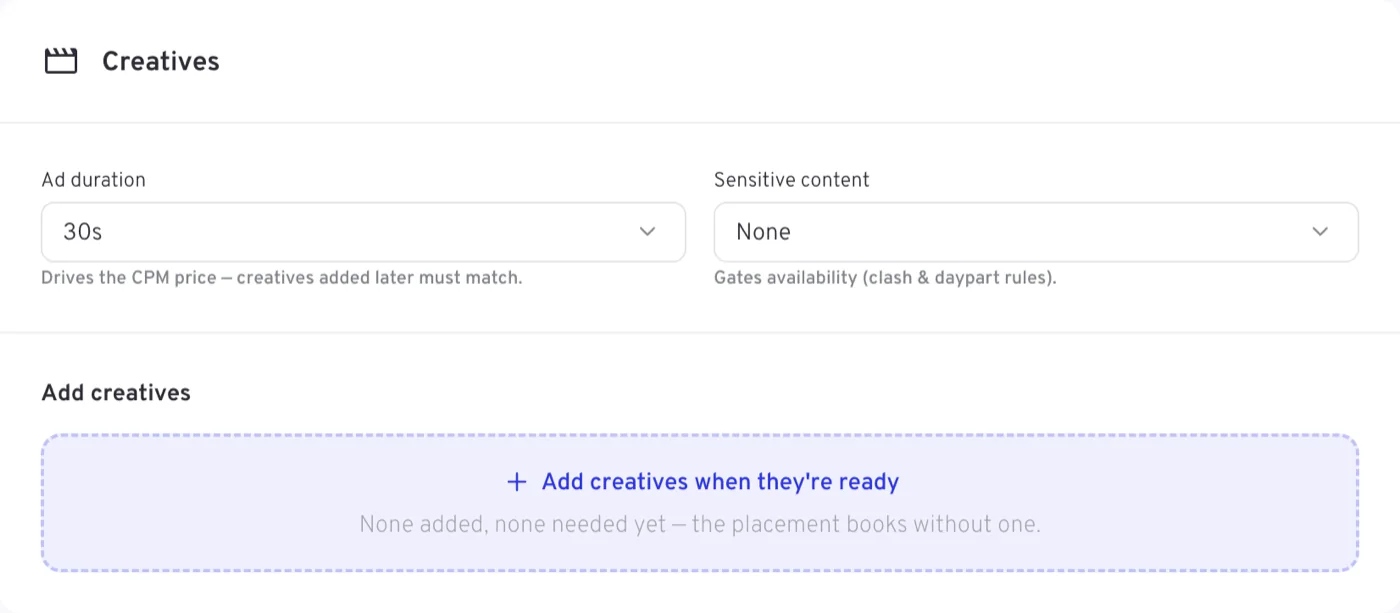
Creatives are not a condition of booking. With none added the panel says so — None added, none needed yet — and offers Add creatives when they're ready, which is the usual state of a digital line item while the tags are still being built.
Nothing linear appears on a Digital Activation line item: no Demographics, no channel shares, no Peak % or Break position, no Ad Mirroring and no Flight pacing. The full matrix is in which fields each campaign type shows.
Rules specific to Digital Activation
- The campaign flight must start between 5 and 365 days from today once the campaign is past Draft — a far longer runway than the 5 to 90 days the broadcast types get.
- Line item flights may span months. The single-month rule applies to linear line items only, so a digital line item can run a quarter in one go.
- Line item budgets must sum exactly to the campaign Budget cap, and Budget, Target Impacts and the rate must agree, allowing for rounding.
Tips
- Pick the product card before the stream type at the top of targeting — the stream types on offer depend on it, and Daily Reach Blast fixes you to the network.
- Set the audience type before hunting for a segment: the segment, custom and DataIQ pickers are alternatives, and only the one matching your choice is used.
- Layer frequency caps rather than reaching for one blunt number — you can hold several, each over its own window.
- Use the collapsed summaries — Nationwide, All devices, All day — to confirm what you have deliberately left wide open.
- Ask for the measurement add-ons early; each is on request rather than automatic.
- Run the availability check before booking, and adjust targeting, budget or flight if it comes back tight.